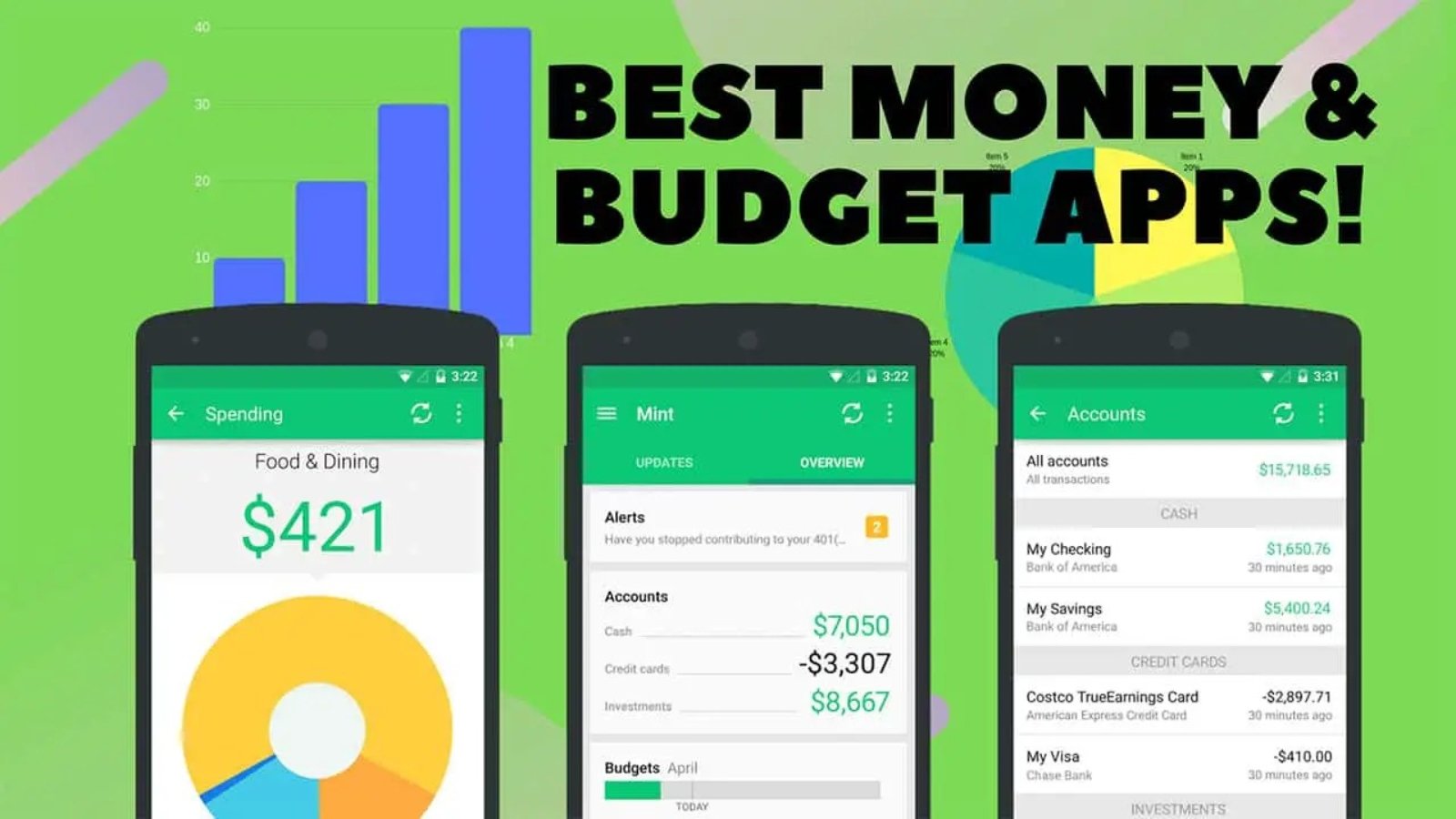
In an era of digital finance, mastering your money requires more than a spreadsheet. Best Budgeting Apps have emerged as essential tools, transforming smartphones into powerful financial command centers. These applications go beyond simple tracking, offering a strategic framework for personal finance management. They automate the tedious task of categorizing expenses, provide real-time insights into spending habits, and illuminate the path toward your savings goals. Whether you aim to eliminate debt, build an emergency fund, or simply gain clarity, the right app delivers the structure and visibility needed to turn financial aspirations into achievable reality, making true financial control possible for everyone.
1. Mint: The Free, All-in-One Classic for Beginners
For over a decade, Mint has been the go-to free budgeting app for millions. Now integrated under the Intuit umbrella (alongside TurboTax and Credit Karma), it remains a powerful and comprehensive tool for getting a full picture of your financial health.
Key Features of Mint:
-
Automatic Transaction Tracking: Connect your bank accounts, credit cards, loans, and investments in one place. Mint automatically categorizes your transactions.
-
Customizable Budgets: Set monthly budgets for different categories. Mint tracks your spending in real-time and alerts you when you’re approaching your limit.
-
Bill Payment Reminders: Never miss a due date again. Mint sends alerts for upcoming bills and can even track your payment history.
-
Free Credit Score Monitoring: Get regular updates on your credit score and understand the factors that influence it.
-
Trends and Visualization: Use detailed charts and graphs to visualize your spending habits, net worth, and cash flow over time.
The Verdict: Pros and Cons
-
Pros: Completely free, user-friendly interface, excellent for a high-level financial overview, robust automatic tracking.
-
Cons: Can be ad-supported, categorization can sometimes be inaccurate requiring manual fixes, investment tracking is basic.
Who is Mint For?
Mint is perfect for beginners who want a free, easy-to-use dashboard to see all their finances in one place. It’s ideal for anyone who wants automated tracking and basic financial insight without any upfront cost.
2. YNAB (You Need A Budget): The Proactive Method for Serious Budgeters
YNAB (You Need A Budget) is more than an app; it’s a philosophy. Based on a proven four-rule method, its core principle is to “give every dollar a job.” This zero-based budgeting approach is designed to break the paycheck-to-paycheck cycle and build serious wealth. It’s a premium, subscription-based app with a cult-like following for a reason: it works.
Key Features of YNAB:
-
Zero-Based Budgeting: You assign every dollar of your income to a specific category (bills, savings, spending) until your income minus your allocations equals zero.
-
Embrace Your True Expenses: Break down large, infrequent expenses (like car insurance or holiday gifts) into manageable monthly savings goals.
-
Age Your Money®: This metric encourages you to build a buffer so you’re eventually spending money you earned at least 30 days ago, reducing financial stress.
-
Robust Goal Tracking: Set goals for everything from paying off debt to saving for a vacation.
-
Exceptional Educational Resources: Access live workshops, detailed guides, and a supportive community to help you master the method.
The Verdict: Pros and Cons
-
Pros: Powerful, proactive method for getting out of debt, incredible customer support and education, seamless syncing across devices, no ads.
-
Cons: Steep learning curve, monthly/annual subscription fee ($14.99/month or $99/year), requires a hands-on, consistent time commitment.
Who is YNAB For?
YNAB is ideal for individuals or families who are serious about taking control of their money, are struggling with debt, or want to aggressively save. It’s for those who prefer a proactive, hands-on approach and are willing to pay for a system that delivers profound results.
3. PocketGuard: For Simplifying Your Cash Flow
Sometimes, you don’t need a complex financial plan—you just need to know the answer to one simple question: “Can I afford this right now?” PocketGuard is designed to answer that question by simplifying your finances and showing you exactly how much disposable income you have after accounting for your bills, goals, and necessities.
Key Features of PocketGuard:
-
“In My Pocket”: The app’s central feature is a simple number that shows you how much you have available for everyday spending.
-
Bill Negotiation: PocketGuard’s PocketGuard Plus service can actually analyze your recurring bills (like cable, internet, or insurance) and help you negotiate better rates to lower your bills.
-
Automated Savings Goals: Set goals and let the app automatically set aside small amounts of money to help you reach them faster.
-
Clean, Simple Interface: The design is intuitive and focused on delivering immediate, actionable information without clutter.
The Verdict: Pros and Cons
-
Pros: Extremely easy to use, great for preventing overspending, unique bill-negotiation feature, free version is quite capable.
-
Cons: Less focused on long-term wealth building, the ultra-simple approach might be too basic for advanced users.
Who is PocketGuard For?
PocketGuard is best for those who feel overwhelmed by detailed budgeting or who consistently overspend. It’s perfect for anyone who wants a quick, simple snapshot of their available spending money.
4. Good budget: The Digital Envelope System
Before apps, there was the cash envelope system—a powerful, tactile method where you allocated cash to different spending categories. Good budget modernizes this classic, effective approach for the digital age.
Key Features of Good budget:
-
Digital Envelopes: Create envelopes for your spending categories (e.g., Groceries, Rent, Fun Money). You allocate money to each envelope at the start of the month and spend from them digitally.
-
Sync and Share: Perfect for couples or families. The app syncs across multiple devices so everyone in the household is on the same financial page.
-
Manual Transaction Entry: Unlike Mint, Good budget doesn’t automatically connect to all accounts for spending tracking. You manually add transactions, which forces mindfulness and awareness of every dollar spent.
-
Debt Tracking: Specifically designed tools to help you plan your debt payoff journey.
The Verdict: Pros and Cons
-
Pros: Excellent for couples, enforces disciplined spending, free plan available, no need to link bank accounts (enhances privacy).
-
Cons: Manual entry requires more time and discipline, the free version is limited in the number of envelopes and devices.
Who is Goodbudget For?
Good budget is ideal for couples managing a household budget together and for individuals who prefer the discipline of the envelope system. It’s great for those who want to be highly intentional with their spending and may be wary of linking all their financial accounts.
5. Empower Personal Dashboard (Formerly Personal Capital): For the Investor
While most apps focus on budgeting, Empower Personal Dashboard (the new name for Personal Capital) shines brightest as a comprehensive wealth management and investment tool. Its budgeting features are solid, but its true power lies in tracking your entire financial portfolio.
Key Features of Empower:
-
Investment Fee Analyzer: A killer feature that examines your 401(k) and other investment accounts to uncover hidden fees that could be costing you thousands over time.
-
Retirement Planner: A sophisticated tool that projects your retirement savings based on your current assets, spending, and goals.
-
Net Worth Tracking: Automatically aggregates all your accounts (checking, savings, investments, mortgages) to calculate and track your net worth over time.
-
Cash Flow Analysis: Tracks your income and expenses to show your monthly cash flow.
The Verdict: Pros and Cons
-
Pros: Unmatched investment and retirement planning tools, excellent net worth tracker, completely free financial dashboard.
-
Cons: Budgeting features are less robust than dedicated apps, you will likely receive calls from their advisory service (though there’s no obligation).
Who is Empower For?
Empower is best for mid-to-high earners who are already comfortable with budgeting and are now focused on growing their investments, planning for retirement, and building long-term wealth.
6. Honeydue: Budgeting Built for Couples
Money is a leading cause of stress in relationships. Honeydue is an app designed specifically to ease that tension by facilitating communication and transparency between partners.
Key Features of Honeydue:
-
Joint and Individual Accounts: See both joint and personal accounts in one view, while choosing what to share with your partner.
-
Customizable Alerts: Set up notifications for specific spending categories or when a bill is due.
-
Built-In Chat Function: Discuss transactions directly in the app—no more awkward text messages about a mysterious charge.
-
Bill Reminders: Get organized with shared reminders for upcoming bills and track who is paying what.
The Verdict: Pros and Cons
-
Pros: Designed from the ground up for couples, promotes financial communication, allows for privacy controls, free to use.
-
Cons: Less focused on intense budgeting methodology, more of a communication and overview tool.
Who is Honeydue For?
Honeydue is exclusively for couples—whether newly combining finances or long-married—who want to improve their financial communication and manage their money together more effectively.
7. Zeta: Another Powerful Option for Couples and Families
Zeta is another standout app made specifically for modern couples, whether married, engaged, or just starting to manage money together. It offers both a free Joint Cards experience and a more powerful Money Manager.
Key Features of Zeta:
-
Dedicated Joint Account: Zeta offers a dedicated joint account with account and routing numbers, making it easy to manage shared expenses.
-
Smart Bill Tracking: Tracks bills and subscriptions across both partners’ personal accounts to avoid missed payments.
-
Financial To-Dos: Create shared financial tasks and goals.
-
Resources for Couples: The app provides numerous articles and tools tailored to couple’s finance.
The Verdict: Pros and Cons
-
Pros: Excellent for couples needing a full joint account solution, strong focus on shared goals and bill management, free money manager option.
-
Cons: The joint account is a specific product, so it may be more than some couples need.
Who is Zeta For?
Zeta is ideal for couples who are ready to open a joint account and want a seamless, all-in-one app to manage their completely merged financial lives.